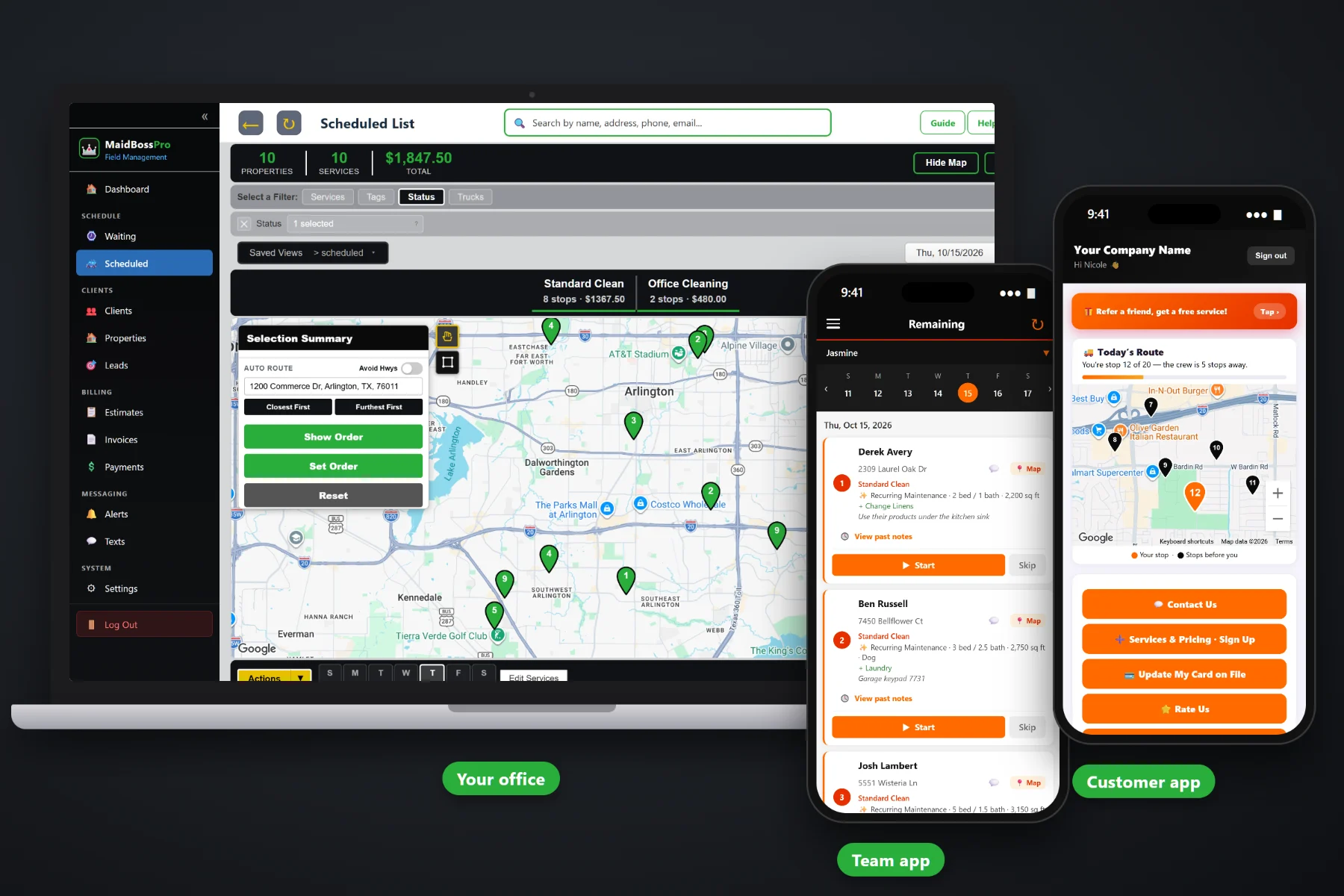
A cleaning company gets paid for a lot of small jobs, over and over. Every two weeks the same kitchen, the same three bathrooms, the same inside-the-fridge extra. MaidBossPro turns each finished cleaning into an invoice with line items your customers understand, charges the card on file when the team taps Complete or on a schedule you set, lets customers pay and update their card from the customer app, follows up on past-due invoices, and sends offices and property managers one statement a month for every location.
Plans start at $59/month, and invoicing, card on file, auto-charge, online payment and monthly statements come with every plan. Billing sits on the same records as your clients, homes, recurring cleanings and team routes, so nothing gets typed twice. To see how billing fits with scheduling, the team app and quotes, start at MaidBossPro and then dig into the money side here.
The clean on one line, each extra on its own line. “Every-Two-Weeks Clean” and “Inside Fridge” read the way the customer booked them.
Your sign-up form captures the card, so the first cleaning can be charged the same day it is done.
When the team taps Complete on the phone, the invoice is created and the card on file can be charged before they reach the next home.
Customers see their invoices, pay online and update their card themselves, without calling the office.
Unpaid invoices get followed up, so the office is not keeping a list of who still owes for last Tuesday.
Offices, dental groups and property managers set to Monthly get one statement covering every location, each line labeled with the address.
The prices come from your own service list, and the details come from the job: the cleaning type, the home, the extras the customer asked for. MaidBossPro carries all of that onto the invoice, so a customer who booked a standard clean plus inside the oven sees exactly that, at the prices they approved.
Nobody started a cleaning company to spend Sunday night writing invoices and texting people about checks. MaidBossPro sets billing up once per client and then lets the finished cleanings do the work.
Your cleans, your extras and your fees, at your prices. Add sales tax once for your area.
New customers sign up through your form with a card, and one click turns the sign-up into a client.
The invoice is created from the job, with the clean and each extra as their own lines.
The card on file is charged, customers can pay in the app, and past-due invoices get followed up.
A remodeler sends a few big invoices a month. A maid service sends dozens or hundreds of small ones, most of them to the same people every week or two. Billing that takes a few minutes per job turns into a second job.
Ask any cleaning company owner where the money leaks and you will hear the same things: a check left on the counter that the team forgot to grab, a payment-app transfer with no name on it, an inside-the-oven extra that got done but never made it onto the bill. A customer whose card expired three cleanings ago. A property manager asking for one bill when you sent eleven.
None of that is hard work. It is just a lot of small work, and it piles up after the cleaning day is over. When the invoice comes from the job and the card is already on file, getting paid stops being a chore.
MaidBossPro keeps the client, the home, the cleaning and the invoice in one place, from the first quote to the paid bill.
Every tool here exists to get each cleaning billed correctly and paid, with less time at the desk.
The clean and every extra as their own lines, priced from your service list.
Set your tax once and it is added to the invoices that need it.
Captured on your sign-up form or added later, and stored with the client.
When the team taps Complete, the invoice is created and the card can be charged.
Prefer a set billing day? Auto-charge on a schedule instead of after each visit.
Customers see their invoices and pay in the customer app.
A new or replaced card goes in from the customer app, not over the phone.
Invoices that sit unpaid get followed up, so nothing quietly ages.
One statement a month for an office, dental group or property manager, every address labeled.
A property manager with a dozen rentals is one client with a dozen addresses.
An approved estimate becomes the scheduled job, and the job becomes the invoice at the same price.
Before-and-after photos stay with the cleaning for the day someone asks what they paid for.
Two-way texting with customers, plus automated reminders by text and email.
See what was billed, what was paid and what is still open.
Works in the US, Canada, Australia, New Zealand and the UK, billing customers in their own currency.
Start $59, Pro $89 and Crew $199 per month, with billing on every plan.
Residential customers usually pay per cleaning. Offices, dental groups and property managers usually want one bill a month that their bookkeeper can approve in one go. Set that client to Monthly and MaidBossPro collects every cleaning at every one of their addresses into one statement, each line labeled with the address it belongs to. Move-out cleans at rental units, nightly office cleans and the weekly lobby wipe-down all land on the same bill. For the full walkthrough of billing and getting paid, read Cleaning Invoicing Software: The Complete Guide to Billing and Getting Paid for House Cleaning.
Most billing phone calls are small: what was this charge, can I use a different card, did you get my payment. The customer app answers them. Customers see their invoices with every line spelled out, pay online, and swap in a new card when theirs expires or gets replaced. They also see before-and-after photos on past visits when you turn that on, and they can text the office if something still needs a conversation.
Pick the plan that fits your operation. Every plan starts with a 14-day free trial and no credit card.
Compare plans on the pricing page.
When the team taps Complete on the job in the team app, the invoice is created from that job, with the cleaning and each extra as line items at your prices. If the customer has a card on file, it can be charged right then, or you can auto-charge on a schedule instead.
The easiest way is your sign-up form, which captures the card when a new customer signs up. One click converts that sign-up into a client. Customers can also add or update a card themselves in the customer app.
Those are your policies, and invoices let you carry them out. Add a deposit, lockout fee or late-cancellation fee to your service list at your price, then put it on an invoice as its own line item when your policy says it applies.
Yes. Set the client to Monthly and they get one statement each month covering every location, with each line labeled with the address. Your residential customers can keep paying per cleaning in the same account.
Invoices can carry sales tax, set up once for your area. Whether your cleaning services are taxable depends on where you work, so ask your accountant before you turn it on.
Start is $59/month, Pro is $89/month, and Crew is $199/month. Billing is on every plan, and every plan starts with a 14-day free trial with no credit card.
Billing is one piece of how MaidBossPro runs a cleaning company. For recurring cleanings in fixed slots, the Waiting List for one-off work, team routes, the team app and quotes, see the full MaidBossPro platform overview.
Practical reading on invoicing cleanings, line items, card on file, auto-charge, deposits and fees, declined cards, past-due follow-up, sales tax, monthly statements, cash flow, month-end review and choosing billing software.
Line-item invoices from every finished job, card on file charged at Complete, online payment in the customer app and one monthly statement for your commercial accounts. Try MaidBossPro free for 14 days.